
Security & trust What we can do with your account, what we can't, and where your data lives
GraphTracks is built in Berlin and runs on infrastructure in the EU. This page explains in plain words what we access, what we store and how to take it back. The legal version is our privacy policy; if the two ever differ, the privacy policy wins.
Last updated: October 9, 2026
Tracking your stats needs no login to Bluesky
Followers, posts, likes and reposts on Bluesky are public data on the AT Protocol network. GraphTracks reads that public data to build your analytics. You only tell us your handle. We never ask for your Bluesky password or an app password to track an account.
Your GraphTracks login is separate
You sign in to GraphTracks through Hanko, a passwordless login service, and you can use a passkey. Your GraphTracks login has nothing to do with your Bluesky account.
Publish connects with Bluesky's own sign-in, never a password
When you connect an account to Publish, you're sent to your Bluesky server's sign-in screen and approve access there. We never see your password. Publish doesn't accept app passwords.
What we ask for
Bluesky shows you this list on its approval screen.
| Permission | Why |
|---|---|
| Create and delete posts | Publish the posts and threads you schedule, and delete one when you ask. |
| Create and delete reposts | For repost automations, which are planned for Publish. We ask now so you won’t have to reconnect if they arrive. Publish doesn’t repost anything today. |
| Upload images and video | Attach the media you added to a post. |
What Publish doesn't ask for
Your messages, follows, likes, blocks or mutes, your profile or your settings. With the permissions above, GraphTracks can't do any of these. If a future feature needs more access, Bluesky shows you the new permissions and you approve them first. An existing connection never gains access on its own.
The honest part
Some Bluesky-compatible servers don't support these narrow permissions yet. On those, your server's sign-in screen asks for its broader standard access instead, and shows you that before you approve. Even then, GraphTracks only uses the access to publish, repost and delete the posts you or your team schedule.
Technical details
The connection uses atproto OAuth with granular scopes, requested exactly as atproto repo:app.bsky.feed.post?action=create&action=delete repo:app.bsky.feed.repost?action=create&action=delete blob:image/* blob:video/* rpc:com.atproto.repo.uploadBlob?aud=* rpc:app.bsky.video.getUploadLimits?aud=*, DPoP-bound tokens, and a confidential client
that authenticates with private_key_jwt. Our OAuth client metadata is public: https://publish.graphtracks.com/oauth-client-metadata.json.
Your Publish connection lives in a separate, encrypted EU service
The tokens Bluesky gives us for Publish aren't stored in the main GraphTracks app or database. They're kept in a separate service, hosted by Scaleway in Paris, France, and encrypted with keys protected by Scaleway Key Manager (KMS), so the stored data can't be read without a call to KMS that only this service is allowed to make. The main app asks that service to publish a post you approved; it never holds your tokens itself. Media you upload for Publish is stored with the same provider in the same region.
Disconnect any time. Deleting is real.
- Disconnect in Publish settings: we delete the stored tokens and ask Bluesky to revoke our access. Scheduled posts for that account stop. Bluesky may still list the app under Apps; you can revoke it there too, as shown below.
- Delete your GraphTracks account: we first disconnect every Bluesky account connected to teams you own. If that fails, your account isn't deleted: you see an error and can try again. We never leave a connection behind without telling you.
- Not automatic yet: media files you uploaded for Publish aren't deleted automatically. Ask through our contact form and we remove them.
How to revoke GraphTracks' access on Bluesky
You don't need GraphTracks to take access back. Bluesky lists every app you've approved, and you can revoke any of them yourself.
Open your account page
Go to bsky.social/account. If your account is hosted somewhere other than Bluesky, open your server's account settings instead.
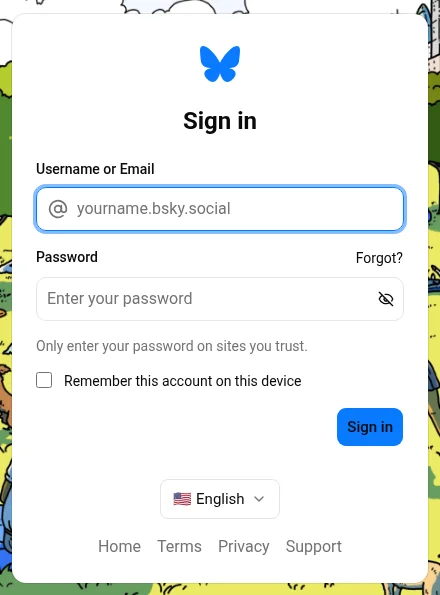
Sign in with your main password
Use your Bluesky handle or email and your main password. An app password won't work here.
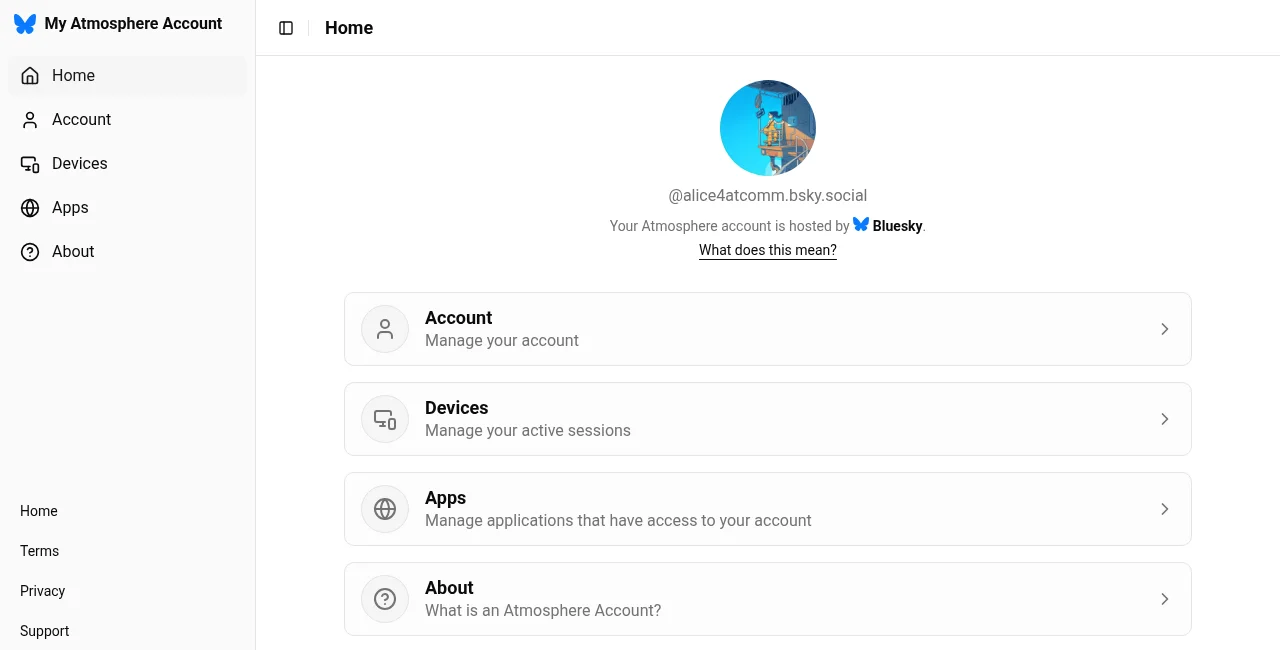
Choose Apps
Your account page lists Account, Devices, Apps and About. Open Apps.
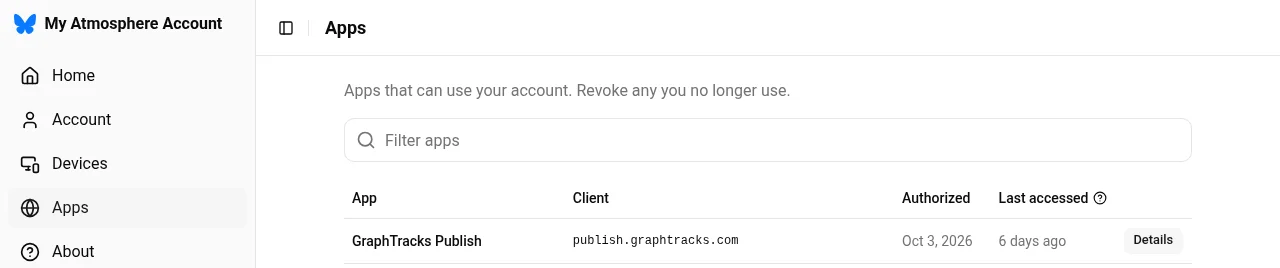
Find GraphTracks Publish
Every app with access to your account is listed with the date you approved it. Click Details next to GraphTracks Publish. You may see it more than once, one entry for each time you connected; revoke each one you no longer use.
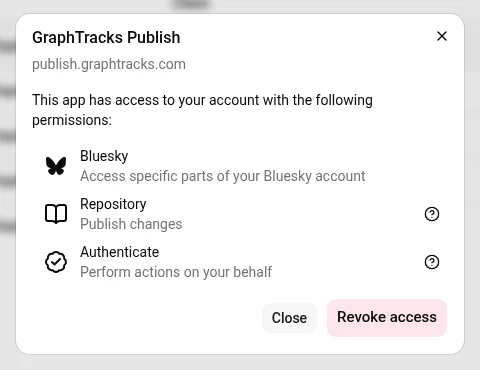
Revoke access
The details show what the app is allowed to do. Click Revoke access. GraphTracks can no longer publish to your account. The next time it tries, the account shows "Reconnect needed" in GraphTracks and the team owner gets an email. Its scheduled posts won't go out until it's connected again.
Disconnecting in GraphTracks (Publish → Settings → Bluesky accounts → Disconnect) does the same from our side: we delete the stored tokens and ask Bluesky to revoke them.
Your team never sees your password either
Editors and approvers work inside your GraphTracks team. Nobody on your team ever sees Bluesky credentials. The connection belongs to the team, and only the team owner can connect or disconnect an account. Roles decide who can write, approve or only view.
Things GraphTracks never does
- We never post anything you or your team didn't schedule or publish.
- We never like, follow or send messages on your behalf.
- We never sell your data.
- We never ask for your Bluesky password or an app password.
- We don't post hours late without telling you: a post that can't go out within 6 hours of its time is marked missed, and you get an email.
EU hosting, consent first
- Product analytics (PostHog, EU-hosted) runs only after you accept cookies.
- Traffic statistics (Simple Analytics, Netherlands) and error reports (Sentry, Germany region) set no cookies. Error reports are sent without IP addresses.
- GraphTracks is run from Berlin, Germany, under the GDPR. You can ask for your data, or for its deletion, at any time.
Found a security problem? Tell us.
Report it through our contact form and include "security" in your message. We reply within 10 working days. Please give us a chance to fix the issue before you share it publicly. We don't run a paid bug bounty.
Frequently asked questions
Is GraphTracks safe to use with my Bluesky account?
For analytics we need no access to your account at all: we read public data. For Publish, you connect through Bluesky’s own sign-in with narrow permissions, and you can disconnect at any time.
Does GraphTracks need my Bluesky password?
No, never. Not for analytics and not for Publish. We don’t accept app passwords either.
Why not use an app password, as other tools do?
An app password lets a tool do almost everything your account can: post, like, follow and delete. It can also stop working when you move your account to another server. Bluesky’s sign-in (OAuth) asks only for what publishing needs, and you can take it back at any time.
Can GraphTracks read my DMs?
No. Publish doesn’t ask for access to your messages, and analytics only reads public data.
Where is my data stored?
In the EU. Publish connections and the media you upload for Publish are stored by Scaleway in Paris, France.
How do I remove GraphTracks’ access?
Disconnect the account on the Accounts page, or delete your GraphTracks account. Both delete the stored access and ask Bluesky to revoke it. You can also revoke it yourself on Bluesky: sign in at bsky.social/account, open Apps, and choose Revoke access next to GraphTracks Publish.
